An LED driver power supply adapter is one of the most important components in LED lighting fixtures and small display devices. When the system fails to light up, flickers, has insufficient brightness, or is completely unresponsive, quickly identifying the fault is crucial.
Among many testing methods, a multimeter is the most cost-effective and direct tool.
Below, we’ll guide you through a clearer and more coherent explanation of how to use a multimeter to test an LED power supply adapter.
Why use a multimeter to test LED driver power supplies?
LED system faults often stem from three aspects:
- The adapter itself does not output voltage.
- Unstable output causes flickering or insufficient brightness.
- A short circuit at the LED terminals causes the adapter to enter protection mode.
These problems cannot be diagnosed visually, but a multimeter can directly verify output, stability, and short circuit conditions, making it the most reliable initial diagnostic tool. This is why it’s essential for after-sales service, engineering personnel, and factory QC.
Pre-Test Confirmation Steps (Concise but Essential)
Before starting the measurement, please confirm the following:
- Multimeter is functioning properly, and the probes are intact.
- The testing environment is dry; avoid short circuits.
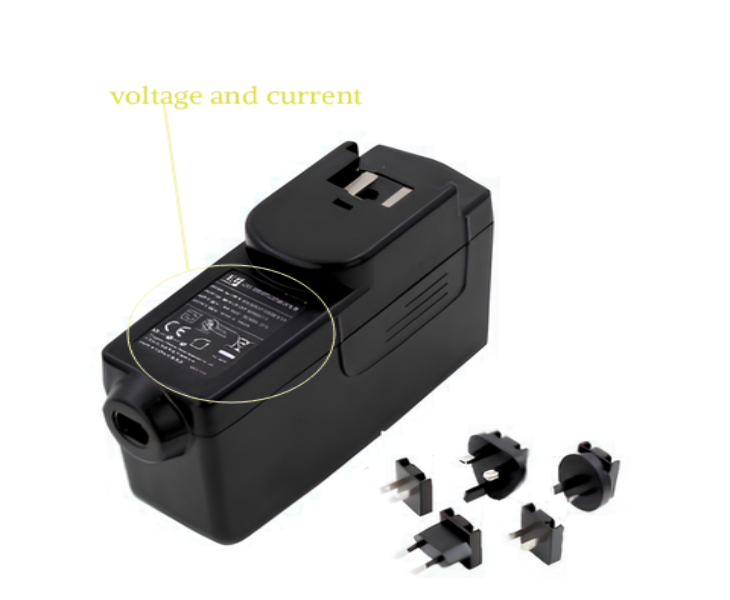
- Understand the adapter specifications (e.g., 12V, 24V, constant voltage/constant current).
After completing the above confirmations, you can proceed to the formal testing process.
Step 1: Test if the adapter has an output voltage.
This is the most basic and crucial testing step.
Method:
- Set the multimeter to DC voltage (DCV).
- Connect the red probe to “+”, and the black probe to “-“.
- Connect the power supply and read the voltage value.
Judgment Criteria:
- Output close to nominal value (±5%) → Normal
- Low voltage → Adapter aging or partial damage
- No voltage → Adapter basically damaged.
This step can immediately determine if the adapter is still working.
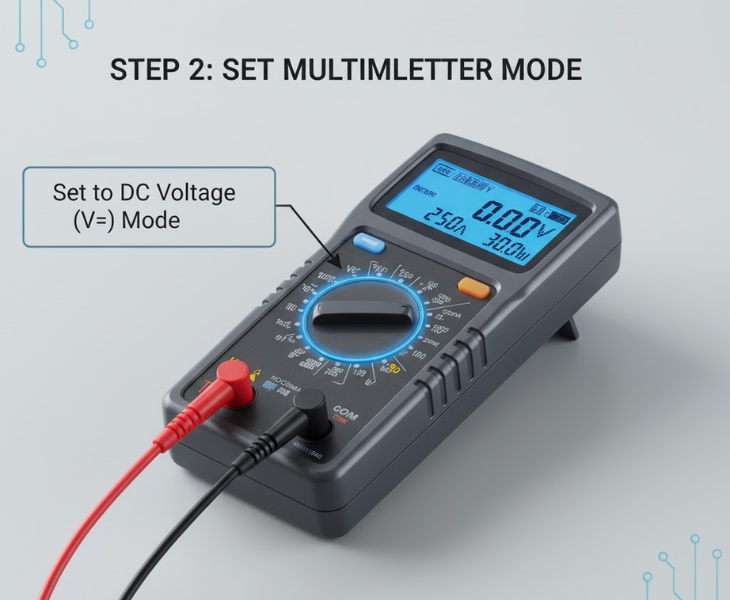
Step 2: Determine if the voltage is stable (Troubleshooting flickering issues)
Some adapters may exhibit a “normal no-load, flickering under load” situation, which is usually caused by internal filtering problems.
Test Method:
- Perform a no-load test once.
- Connect a small load (LED strip) and test again.
- Observe whether the voltage fluctuates significantly.
If the voltage drops or jumps significantly after loading, it indicates that the adapter’s output capacity is insufficient.
Step 3: Test if the AC input is normal (when the adapter has no output)
When the adapter has no output at all, do not rush to conclude that it is damaged; the input may simply be without power.
Method:
- Switch the multimeter to ACV AC voltage.
- Test the live and neutral wires.
- Confirm if there is 110V/220V input.
If there is no power at the AC terminal, the problem is not with the adapter, but with the power cord or socket.
Step 4: Check for output short circuits (to determine if the problem is caused by the LED itself)
A short circuit in the LED fixture will cause the adapter to automatically enter protection mode, manifesting as “no output,” but the adapter is not broken.
Test Method:
- Power off
- Set the multimeter to the resistance range
- Measure the resistance between “+” and “-“
Judgment:
- High resistance → Normal
- Close to 0 → Short circuit in the load (LED problem)
This is a crucial step in troubleshooting LED light fixtures.
What can a multimeter test? What can’t it test?
Can test:
- Output voltage
- Voltage stability
- Input AC connection status
- Output short circuit condition
Cannot test (requires specialized equipment):
- Output current capability (requires electronic load)
- Ripple, noise (requires oscilloscope)
- Safety withstand voltage (requires safety tester)
- Multimeters are suitable for quick diagnostics, not in-depth testing.
Frequently Asked Questions (FAQ)
Q1: Can I directly test a constant current LED driver with a multimeter?
Yes, but a load must be connected; otherwise, the constant current driver will not output voltage.
Q2: What if the voltage is normal but the light doesn’t turn on?
Check for short circuits, poor connections, and whether the load exceeds the adapter’s rated power.
Q3: Can a multimeter directly measure current?
It is not recommended; there are safety risks and it may damage the multimeter.
Summary
Using a multimeter to test LED driver external switching power supplies is the fastest and most effective basic diagnostic method. By measuring voltage, load stability, input AC, and short circuit tests, you can quickly identify the source of the problem, reduce replacement costs, and significantly improve after-sales efficiency.
If you require further in-depth testing, it is recommended to use professional equipment such as electronic loads, oscilloscopes, or safety testers.
If you have more customized ideas for LED drivers, please contact us. We are dedicated to developing the most suitable power adapter for your product.